A work order template is the document that tells your crew exactly what to do on a job. It names who the customer is, where the work happens, the full scope, what to bring, the time window, and how to confirm the work is done. This one is built for truck-based home service crews (junk removal, moving, dumpster rental), not the facility-maintenance engineers most work order templates are written for. It matters because the most expensive thing a crew does is drive back to a job it should have finished in one trip, and field service research puts the cost of a single repeat dispatch at $200 to $300 once you count the labor, the fuel, and the paid slot it burns. Most of those return trips trace to a detail nobody wrote down: a gate code, a second item, a flight of stairs. Below is the full template you can copy, a field-by-field breakdown of which lines actually prevent a wasted trip, and three filled examples for junk removal, moving, and a dumpster drop-off.
- A work order is the internal crew doc that sits between the estimate (the price the customer approved) and the invoice (the bill after the work). It is not a customer pricing doc.
- The office and facility-maintenance templates ranking for this search are built for a building engineer logging a broken HVAC unit, not a crew pulling up to a driveway. They skip the fields that cost you a second trip.
- Five fields prevent most wasted trips: access notes, on-site contact and window, equipment to bring, a specific scope, and a completion sign-off.
- Copy the template below, fill the access line every single time, and hand it to the crew the night before. The truck leaves knowing what the office knew.
What should a work order template include?
A work order template should include the customer and job address, the on-site contact, access notes, the scope of work, the equipment to bring, the assigned crew, the scheduled window, any special hazards, and a completion sign-off. The layout is ordinary. What makes it useful for a trade crew is the access and scope detail the office templates leave blank. Here is the full template, ready to copy:
| Field | What goes in it |
|---|---|
| Work order number and date | Sequential number and the scheduled date |
| Customer | Name and best contact number |
| Job address | Where the work happens, with the unit, gate, or lot number |
| On-site contact | Who meets the crew, and whether they will actually be there |
| Access notes | Stairs, elevator, gate code, parking, low branches, locked yard, dog |
| Scope of work | Exactly what the crew is doing, in plain language |
| Equipment and materials to bring | Dolly, straps, boards, bags, the specific tool the job needs |
| Assigned crew | Who is on the truck, and who is lead |
| Scheduled window | The arrival window you gave the customer, not “morning” |
| Special hazards | Anything that changes how the crew works safely on site |
| Completion sign-off | Customer signature or initials confirming the work is done |
The special-hazards line earns its place for the same reason the federal job hazard analysis guidance from OSHA recommends it: name a hazard on paper before the crew is standing in front of it, not after. The rest of the difference between this and a generic job sheet is in five fields, covered next. They are the lines that decide whether the crew finishes the job or calls the office from the driveway.
Which work order fields actually prevent a wasted trip?
The fields that prevent a wasted trip are the access notes, the on-site contact and window, the equipment-to-bring line, a specific scope, and the completion sign-off. At $200 to $300 a repeat dispatch, the gap between a one-trip job and a two-trip job is almost always one of these lines left blank:
- Access notes. The single most expensive blank field. Three flights of stairs, a gate code nobody wrote down, a driveway blocked by the customer’s car, a dog in the yard. The crew that arrives without the gate code waits, calls the office, and burns the window. Write it every time.
- On-site contact and window. A name, a number, and whether that person is actually going to be home. “Customer says go ahead, key is under the mat” is a work order detail. “Is anyone there?” at 9 a.m. is a second trip waiting to happen.
- Equipment to bring. The scope decides the tools. A job with an old fridge needs an appliance dolly and straps. A dumpster drop on a soft driveway needs protection boards. The line that lists them is the line that keeps the crew from driving back to the yard.
- A specific scope. “Garage cleanout” is not a scope. “Half-truck garage cleanout, plus the old fridge in the side yard, customer keeping the shelving” is a scope. The crew prices and works against the second version.
- Completion sign-off. A signature or a set of initials confirming the work is done and the customer is satisfied. It closes the job cleanly and it is your record if a dispute shows up later.
What does a junk removal work order look like?
A junk removal work order names the load size, the item list, the access, and what is staying versus going. Here is a filled example for a Saturday half-truck garage cleanout, the kind of job whose pricing lives in our junk removal price sheet:
| Field | Detail |
|---|---|
| Job address | 412 Oak Ridge Dr, side gate, code 4471 |
| On-site contact | Customer home until 11 a.m., then key under the back mat |
| Scope | Half-truck garage cleanout, plus the old fridge in the side yard |
| Staying | Metal shelving on the back wall, do not remove |
| Access | Single-car garage, fridge is up three exterior steps |
| Equipment to bring | Appliance dolly, straps, the fridge needs refrigerant handling |
| Crew | 2, lead: Marcus |
| Window | 8 to 10 a.m. |
| Hazards | Fridge in tight stairwell, two-person lift |
The “staying” line and the access detail are what keep this job from going sideways. Without them, the crew either hauls the shelving the customer wanted to keep or shows up with no dolly for a fridge that is up three steps. Either one turns a clean job into a phone call.
What does a moving work order look like?
A moving work order lists the crew size, the truck, the inventory highlights, and the access at both ends. Moving is where access detail earns its keep, because there are two addresses and either one can cost you an hour. Here is a filled example for a one-bedroom local move, the kind of job priced in our guide on how much moving costs:
| Field | Detail |
|---|---|
| Origin | 88 Maple Apt 3, second-floor walk-up, no elevator |
| Destination | 1200 Harbor Ln Unit 6, elevator, building requires a COI on file |
| Inventory highlights | Upright piano, full-size fridge, 14 boxes packed by customer |
| Scope | Load, transport, unload. No packing, customer packed everything |
| Truck | 16-foot box truck |
| Crew | 2, lead: Dana |
| Window | Arrival 9 to 9:30 a.m. |
| Hazards | Piano down a second-floor walk-up, four-strap carry, gloves |
The certificate of insurance requirement at the destination is the line that saves the day. A building that will not let the truck dock without a COI on file, discovered on arrival, is a move that does not happen. On the work order, it gets handled the day before.
What does a dumpster drop-off work order look like?
A dumpster drop-off work order names the size, the placement, the drop date and the pickup date, and the weight cap. The two-date reality is the part the office templates never account for, because a dumpster job is two trips by design. Here is a filled example for a 20-yard driveway drop, the kind of job sized in our dumpster sizes guide:
| Field | Detail |
|---|---|
| Job address | 305 Birch St, place on the right side of the driveway |
| Equipment | 20-yard roll-off |
| Placement | Driveway, protection boards required, low garage eave on the left |
| Drop date | Mon, boards down first |
| Pickup date | Fri, confirm bin is not overfilled before haul |
| Included tonnage | 2 tons, overage billed at the stated rate |
| Prohibited on site | No tires, paint, appliances, or concrete |
| Crew | 1 driver, lead: Sam |
| Hazards | Low eave on the driveway approach, watch the boom |
The protection boards and the low-eave note keep a routine drop from cracking a driveway or clipping a garage. The two dates keep the pickup from getting forgotten, which is how a customer ends up with a bin they did not order to keep and you end up with a relocation argument.
What to do next
Build the template once, then fill the access line on every single job, because that is the line that prevents the second trip. Hand the work order to the crew the night before so the truck leaves the yard knowing what the office knew. If you are still texting jobs to your crew one at a time and fielding the 9 a.m. “which unit?” call, the fix is getting the details off your phone and onto something the crew can open.
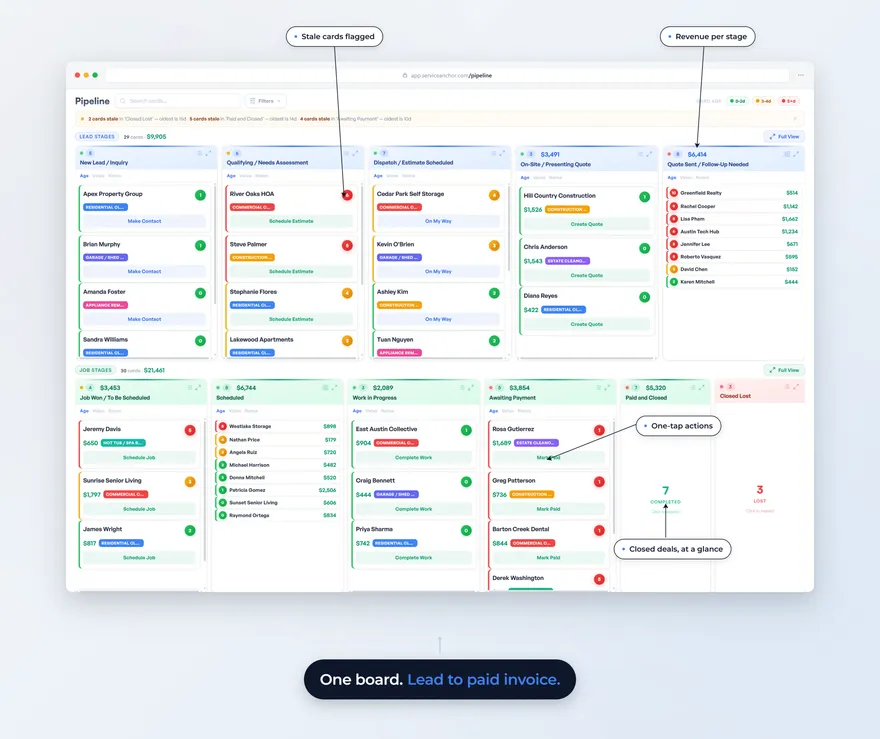
That is the part Service Anchor handles. The job details, address, scope, and the price the customer already approved stay attached to the job card as it moves through the pipeline, so the crew opens the job on their phone and sees exactly what the office promised, instead of calling to ask. The estimate that opened the job and the invoice that closes it live on the same card, so nothing gets retyped between them. Founding pricing is $29 a month, everything included. The same on-my-way text the crew sends on the way is part of that flow, and the whole thing comes preloaded for junk removal.
FAQ
What is the difference between a work order and an estimate?
An estimate is the price you quote the customer before the work, and a work order is the internal instruction sheet your crew runs the job from. The estimate is a customer-facing document about money; the work order is a crew-facing document about execution: access, scope, equipment, and who does what. The estimate gets approved first, then the work order tells the crew how to deliver what was sold. You can see the customer-facing side in our estimate template.
What is the difference between a work order and an invoice?
A work order comes before the job and an invoice comes after it. The work order tells the crew what to do on site; the invoice bills the customer for the work once it is done. In order, it runs estimate, then work order, then invoice, with the work order being the only one of the three the customer usually never sees.
What should a service work order include?
A service work order should include the customer and job address, the on-site contact, access notes, a specific scope of work, the equipment to bring, the assigned crew, the scheduled window, any safety hazards, and a completion sign-off. For a truck-based trade, the access and scope fields are the ones that prevent a second trip, so do not leave them blank to save time.
What is a job sheet?
A job sheet is another name for a work order, more common in the UK and in trades like plumbing and electrical. It serves the same purpose: a single sheet that tells the crew what the job is, where it is, and what it needs. Whether you call it a work order or a job sheet, the useful fields are the same.
How do I write a work order for a small crew?
Write a work order for a small crew by filling one sheet per job with the address and access details, a plain-language scope, the equipment to bring, the arrival window, and a sign-off line. Keep it to one page so the lead can read it in the truck. The discipline that matters is filling the access line every time, because that is the field that decides whether the crew finishes in one trip.
PTC, What Is First-Time Fix Rate: source for the estimated $200 to $300 cost per repeat field service dispatch, citing Aberdeen Group research. https://www.ptc.com/en/blogs/service/what-is-first-time-fix-rate
U.S. Occupational Safety and Health Administration, Job Hazard Analysis (OSHA Publication 3071): source for the guidance that job hazards should be identified and documented before work begins. https://www.osha.gov/sites/default/files/publications/OSHA3071.pdf
Last updated: June 2026. First publication: a work order template built for truck-based home service crews, with the access, scope, equipment, and sign-off fields that prevent a second trip, plus filled junk removal, moving, and dumpster drop-off examples.