Every service visit has five moments where the customer feels anxiety: when they booked, while they wait, when you arrive, while you work, and when they pay. The on-my-way text cuts through three of them. Done well, it is the cheapest review-generation tool your business owns. Done badly, it is the reason your Google reviews say “never communicated.”
This post gives you eight copy-paste templates organized by scenario, explains the psychology behind each one, and shows you how to stop typing them every time.
- Name who is arriving, give a time window (not a single time), and include one action the customer can take. Those three elements are the difference between a template that earns a five-star review and one that annoys.
- Organize your messaging by customer anxiety stage: on-time, late by 15 minutes, delayed by 30 or more, arrival, post-job, payment follow-up, estimate-only, re-engagement. Different moments need different tone.
- The post-job thank-you text is where you ask for the review. Not at the door, not in a follow-up email three days later. Right then.
- If you run a junk removal, dumpster rental, or moving operation, these texts can be fired automatically from your dispatch board instead of from your personal phone. More on that at the end.
The three rules of a good on-the-way text
Every template below follows the same three rules. If you only remember this section, the post did its job.
Rule 1: Name who is coming. Not “we” or “your crew.” First name plus, if they know your business, company name. “Hey Sarah, this is Mike from Hometown Haul.” People trust a name. They don’t trust a faceless dispatcher.
Rule 2: Give an ETA range, not a single time. “Between 10:15 and 10:45” beats “at 10:30” every single time. A range is honest. A single time sets you up to be late by a minute and wrong. When you miss the range, the next rule applies.
Rule 3: Offer one action. One. Not a menu. “Reply with any gate codes” or “Text back if now is no longer a good time.” Giving the customer one thing to do converts them from anxious waiters into active participants. Giving them three things paralyzes them.
The eight templates
These are written for junk removal operators, dumpster rental yards, and moving companies. Swap the company name and the tech name, and they work for any home service.
Template 1: Standard on-the-way (on time)
Hi {{first_name}}, this is {{tech_name}} from {{company_name}}.
Heading your way now, should be at {{address_short}} between
{{eta_start}} and {{eta_end}}. Reply here if anything changes.
Why this works: Three sentences, under 160 characters in most cases, one clear action. The phrase “reply here” matters because customers forget which number texted them. Explicit permission to text back is not obvious to them.
Template 2: Running late text (the 15-minute rule)
Hey {{first_name}}, {{tech_name}} here. Running about 15 minutes
behind, so new ETA is {{eta_start}}–{{eta_end}}. Last job ran
longer than expected. I'll text you when I'm pulling up.
Why this works: The 15-minute rule is a hard line. If you are going to be more than 15 minutes behind your original window, you text proactively. Not when you get there. The reason you give (“last job ran longer”) is specific and human. Generic reasons like “unexpected delay” sound like excuses. Real reasons sound like a real person.
Template 3: Delayed by 30 or more minutes (with a choice)
Hi {{first_name}}, real apologies. The earlier job had a surprise
{{brief_reason}} and I'm running 45+ minutes behind. Two options:
I can still come today around {{new_eta}}, or we can move you to
{{tomorrow_slot}} at no charge. What works better for you?
Why this works: Past the 30-minute mark, the customer’s day is already disrupted. Offering a rebook option costs you nothing and earns trust. Most customers pick “come today” anyway, but the fact that you offered the choice is what they remember. This is the template that turns a bad day into a good review.
Template 4: Arrived on-site
Just pulled up, {{first_name}}. I'm in the {{vehicle_description}}
out front. Come find me when you're ready, or I can knock if you
prefer.
Why this works: This is your actual technician arrival notification, and it matters more than people think. Customers are working, on calls, wrangling kids. They don’t necessarily want a knock mid-Zoom. Giving them the “find me or I’ll knock” option respects their time. The vehicle description also lets them peek out the window to confirm it’s you, which is a small security win especially for customers who booked remotely.
Template 5: Estimate-only visit (different vibe)
Hi {{first_name}}, {{tech_name}} heading out for the estimate at
{{address_short}}. Plan on 15–20 minutes on-site. I'll walk the
job, ask a few questions, and send you a written quote within 24
hours. No pressure to decide today.
Why this works: Estimate visits have different stakes than service visits. The customer is evaluating whether to hire you. “No pressure to decide today” signals that you are not going to hard-close them in their driveway. Counterintuitively, that makes them more likely to say yes.
Template 6: Post-job thank-you plus review ask
Thanks for the work today, {{first_name}}. Truck's unloaded,
paperwork's in your email. If the job met your expectations,
a Google review would mean a lot to a small operation like
ours: {{google_review_link}}. Either way, appreciate you.
Why this works: This is the most important template of the eight. Review requests have two rules: ask in the moment (not three days later) and make the ask contingent (“if the job met your expectations”). The contingent framing filters out unhappy customers before they leave a three-star review. The “small operation like ours” line is the secret weapon. People will leave reviews for small businesses they would never leave for chains, because they know their review actually matters. If you want the post-job touchpoint to also drive repeat business, this is where a clear pricing framework pays off: customers who felt priced correctly are the ones who leave reviews.
Template 7: Payment follow-up (friendly, not collections)
Hi {{first_name}}, just a friendly nudge that the invoice for
{{job_date}} is still open. Pay link here: {{pay_link}}. Let me
know if you have any questions or if something's not right with
the invoice, happy to sort it.
Why this works: The word “friendly” and the phrase “something’s not right” are load-bearing. Customers who haven’t paid are sometimes not ignoring you. They are confused, disputing something silently, or waiting on a reimbursement from their insurance or a landlord. Opening the door to “tell me what’s wrong” gets paid faster than chasing. If you are delivering dumpsters with tight pickup and drop-off windows, this template also works for rental-period overage reminders.
Template 8: Re-engagement (90 days after last job)
Hey {{first_name}}, it's {{owner_name}} at {{company_name}}. Been
about three months since we hauled {{last_job_description}}.
Spring cleanout season is about to hit, thought I'd check in.
Reply STOP if you'd rather not hear from me.
Why this works: The re-engagement text is your highest-ROI outreach. These are customers who already bought from you, already have your number saved, and already know your crew. Sending this to 100 past customers beats sending a cold email to 1,000 strangers. The “reply STOP” line is legally important (US commercial SMS rules under the TCPA require a clear opt-out for marketing messages) and psychologically softens the ask.
Merge-tag variables
Every template above uses placeholders in double braces. The standard set for junk removal, dumpster, and moving:
{{first_name}}: customer first name
{{tech_name}}: technician or owner first name
{{company_name}}: your business name
{{address_short}}: short version of the service address (street + city, not full postal)
{{vehicle_description}}: “white F-250 with Service Anchor decal” or similar
{{eta_start}} / {{eta_end}}: ETA window boundaries
{{job_date}}: date of the original job
{{pay_link}}: direct link to your invoicing system
{{google_review_link}}: your Google Business Profile review link
{{last_job_description}}: short description of last job, for example “the garage cleanout”
If you are using a field service platform, these map to built-in fields. If you are texting from your personal phone, keep a note saved with these placeholders and swap them manually. Faster than writing from scratch every time.
How to stop typing these every time
Nobody runs a junk removal or dumpster rental business well if they are also a full-time SMS author. The goal is to wire the templates into your dispatch board so the text fires when the job state changes.
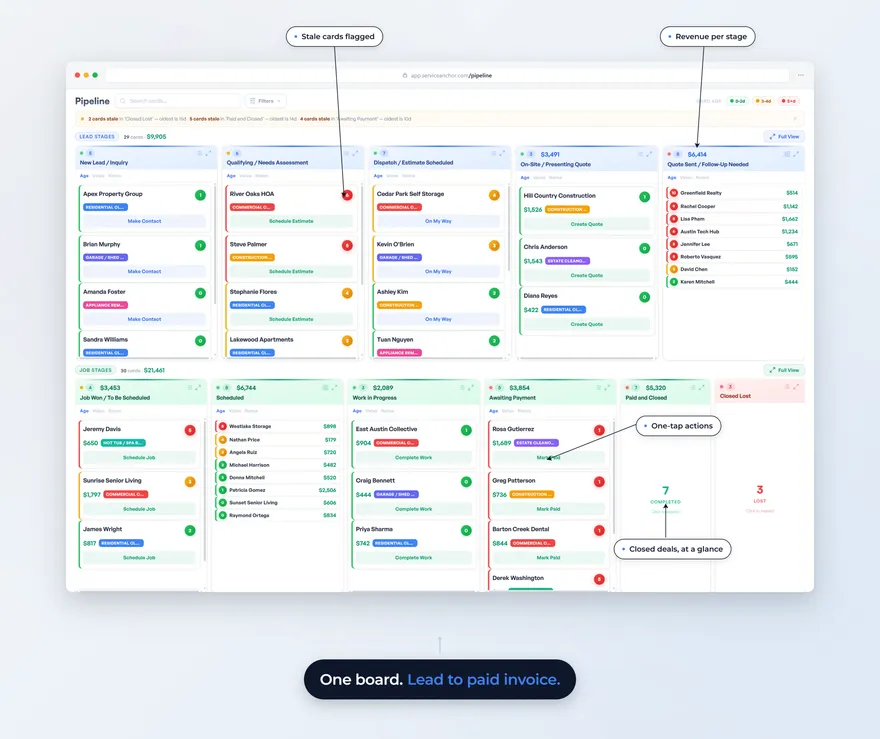
Service Anchor ships with a SEND_ON_MY_WAY action on every job card. When your driver taps “heading out” in the mobile app, the on-time template fires to the customer with their ETA window filled in from the job schedule. When a job runs long, tap “running late” on the job card and the template fires with the new ETA filled in from your schedule. Post-job, the thank-you + review ask fires when the job is marked complete and paid.
The difference between typing these eight templates into your personal phone fifteen times a day and having them fire automatically is about two hours of your time per week. Over a year, that is roughly 100 hours. Enough to run another 25 to 35 jobs at a typical 3-hour average.
What to do next
Pick three templates from this post. Paste them into the notes app on your phone with the placeholders. Use them for a week. After a week, count your Google reviews. If they went up, you know the system works, and the next question is how to automate it.
When you are ready to stop typing and start getting the time back, the SMS automation is one of the first things you will wire up. The other end of that customer-communication arc is the contractor invoice you send the moment the job is done, with the review ask built into the footer.
Last updated: May 4, 2026